Waiting for link…
This file is streamed directly from the sender's device over a peer-to-peer connection (WebRTC) — it is never stored on any server. The sender must be online for the transfer to work.
Share files and folders straight from your computer with a link or QR code — to anyone, anywhere on the internet, not just nearby devices. No upload, no server storage, no size limit — the file goes directly from your device to theirs.
Windows may show a “SmartScreen” warning because the installer isn't code-signed yet — choose More info → Run anyway.
Four steps, and the file never sits on someone else's server.
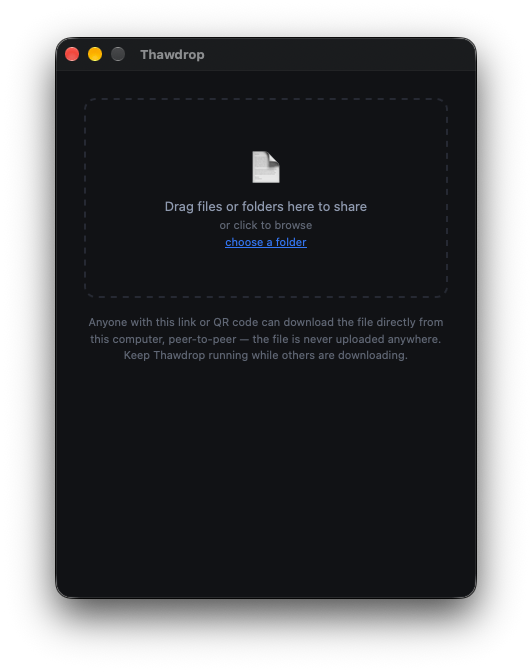
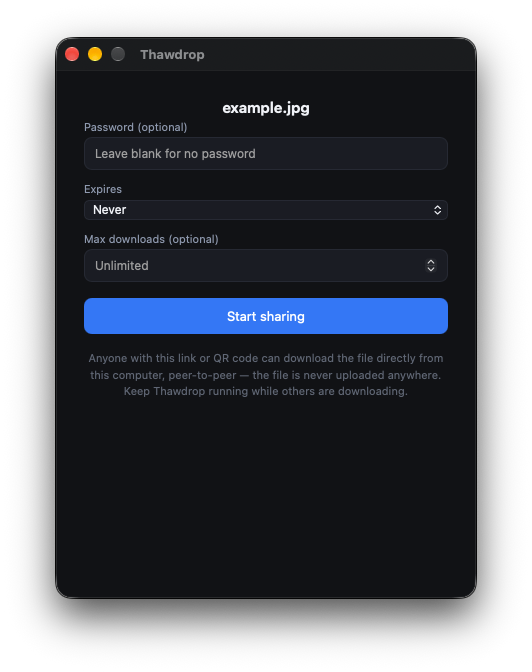
In the desktop app, drop it in, browse for it, or right-click it and choose “Share with Thawdrop”. Optionally add a password, an expiry time, or a download limit.
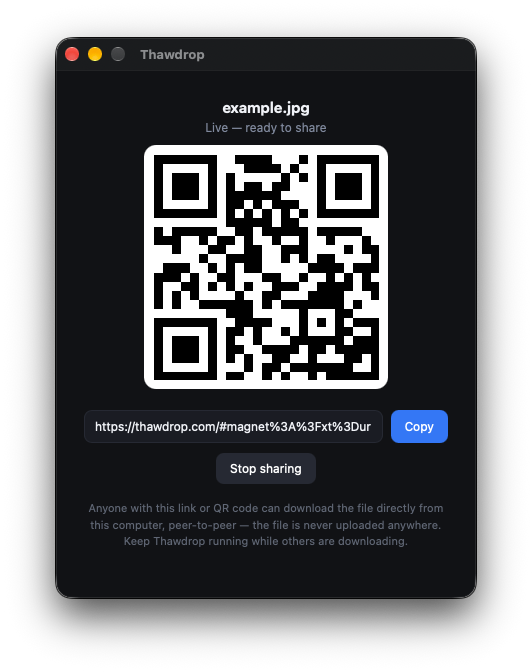
The app starts sharing straight from your disk and turns it into a magnet link, shown as a link and a QR code. Nothing is uploaded anywhere.
The receiver opens it in any browser, sees the name and size (or a folder they can browse), and picks what to download.
The browser connects to your computer peer-to-peer (WebRTC) and pulls only what was chosen. Keep the app open until they're done.
# never reaches it.
thawdrop.com/#magnet:?…, so the address sits after the #, which browsers never send to a server.Grouped by type of tool, with well-known examples of each.
| Thawdrop | Cloud uploadWeTransfer, Google Drive | Nearby sharingAirDrop, Quick Share, PairDrop | Browser P2PFilePizza, Send Anywhere | |
|---|---|---|---|---|
| What the share link is | A magnet link (BitTorrent-style) that points to the sender's device | A URL to a file on the provider's server | No link: devices find each other nearby or by pairing code | A link or short code for a live session with the sender |
| Technology underneath | WebTorrent over WebRTC | Upload and download over HTTPS | Wi-Fi/Bluetooth, or WebRTC for PairDrop | WebRTC |
| File stored on a third-party server | No | Yes | No | Usually no |
| Size limit | None | Yes, especially on free plans | None | Varies |
| Receiver needs to install anything | No, a browser is enough | No | Depends on the app and device | Varies |
| Works between different networks | Yes | Yes | Mostly nearby devices | Yes |
| One link for many receivers | Yes | Yes | One device at a time | Limited |
| Receiver can pick single files from a folder | Yes | Usually as a zip | No | Generally no |
| Right-click “Share” on a file | Yes | No | Built into some systems | No |
| Sender can go offline after sending | No | Yes | No | Usually no |
Comparison is based on the general behaviour of each kind of tool and may differ by product, plan or version. Check a tool's own site for its current details.
Statistics for Thawdrop downloads over time.
No downloads recorded yet.
This file is streamed directly from the sender's device over a peer-to-peer connection (WebRTC) — it is never stored on any server. The sender must be online for the transfer to work.